- Codex
- Claude Code
- Cursor
Run Codex, Claude Code and Cursor side by side.
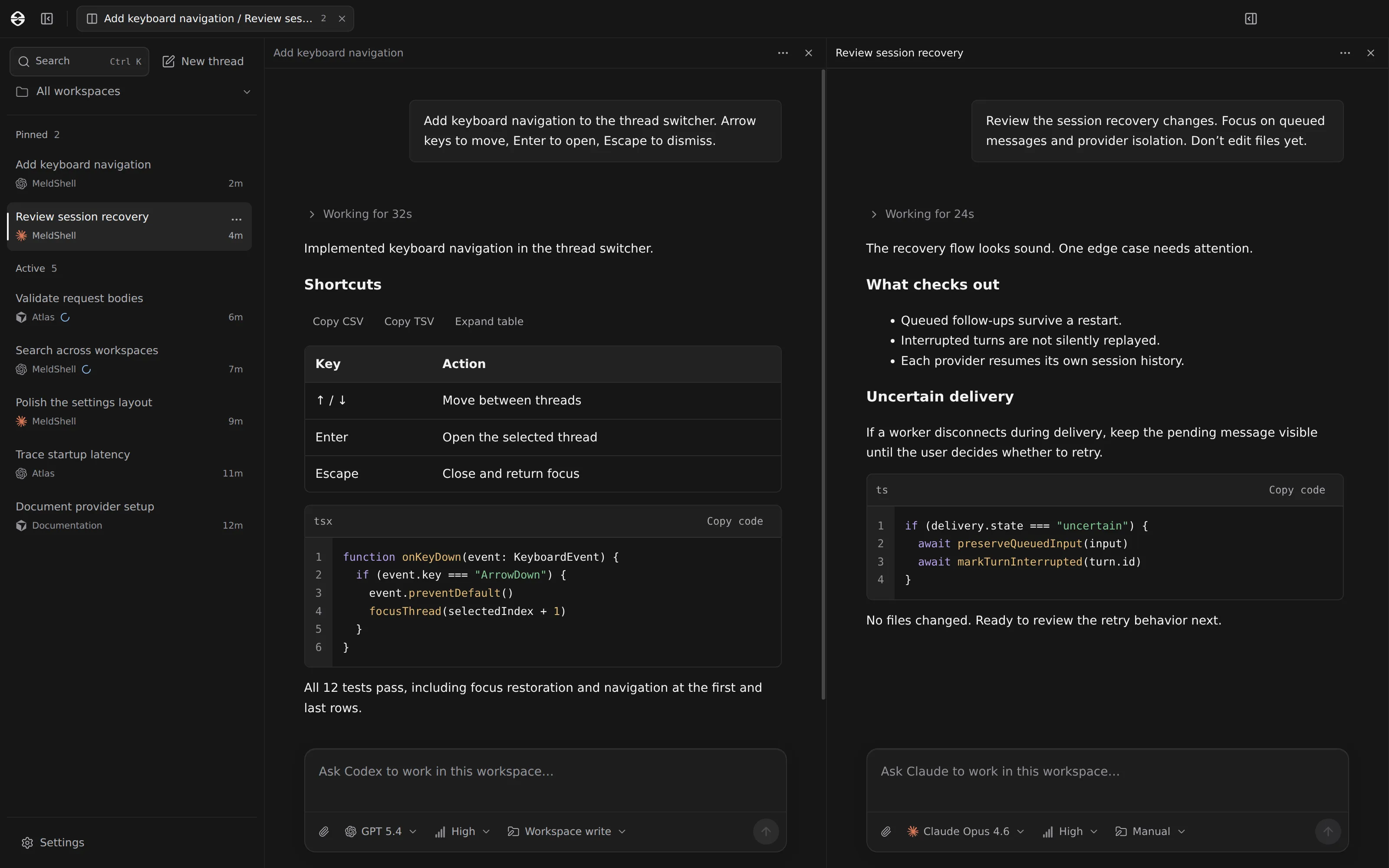
MeldShell is a desktop app for working with several coding agents at once. Every project and every conversation, kept together in one window.
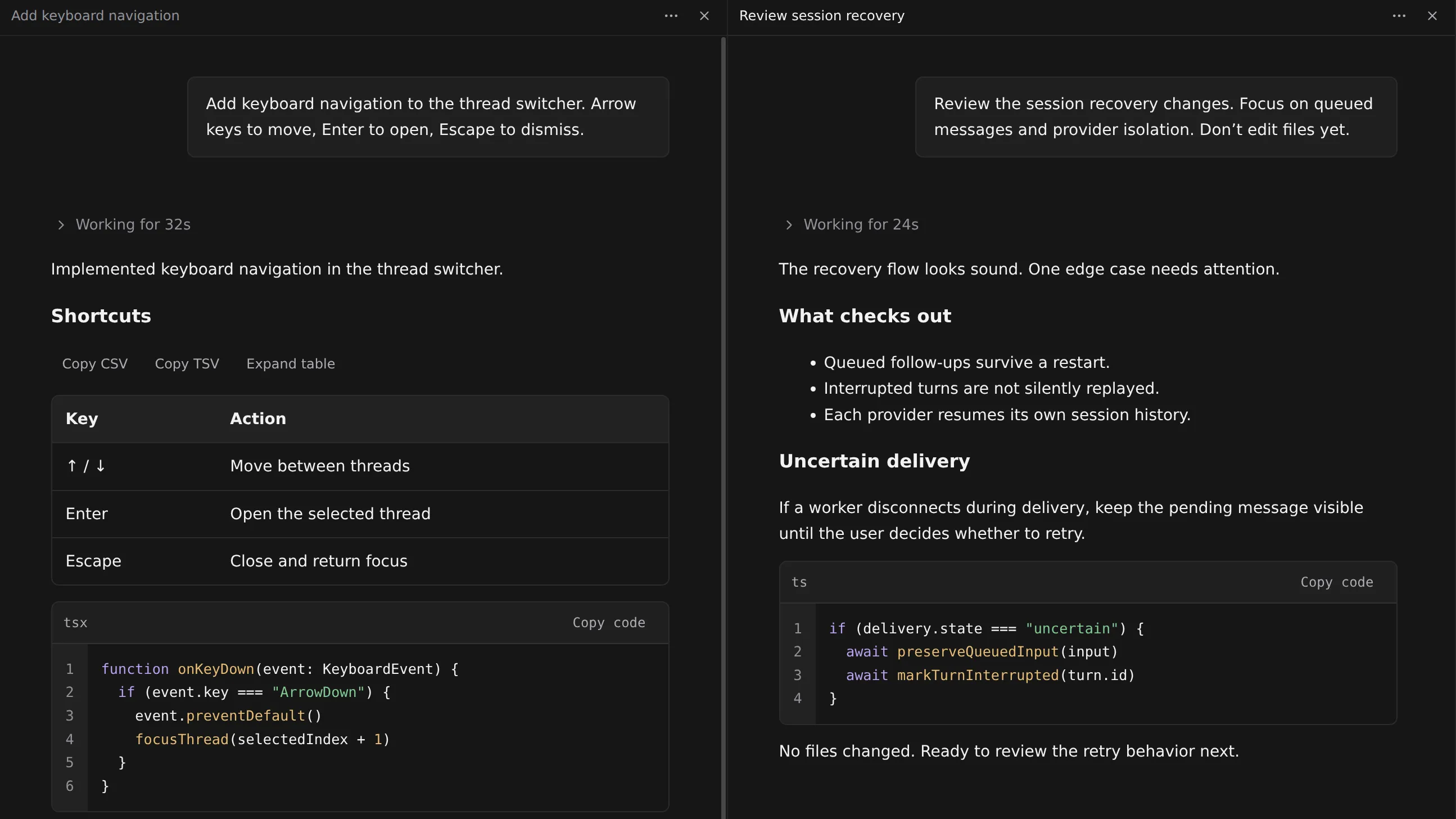
Watch two side by side
Put one conversation next to another and follow both without switching back and forth. Each keeps its own agent.
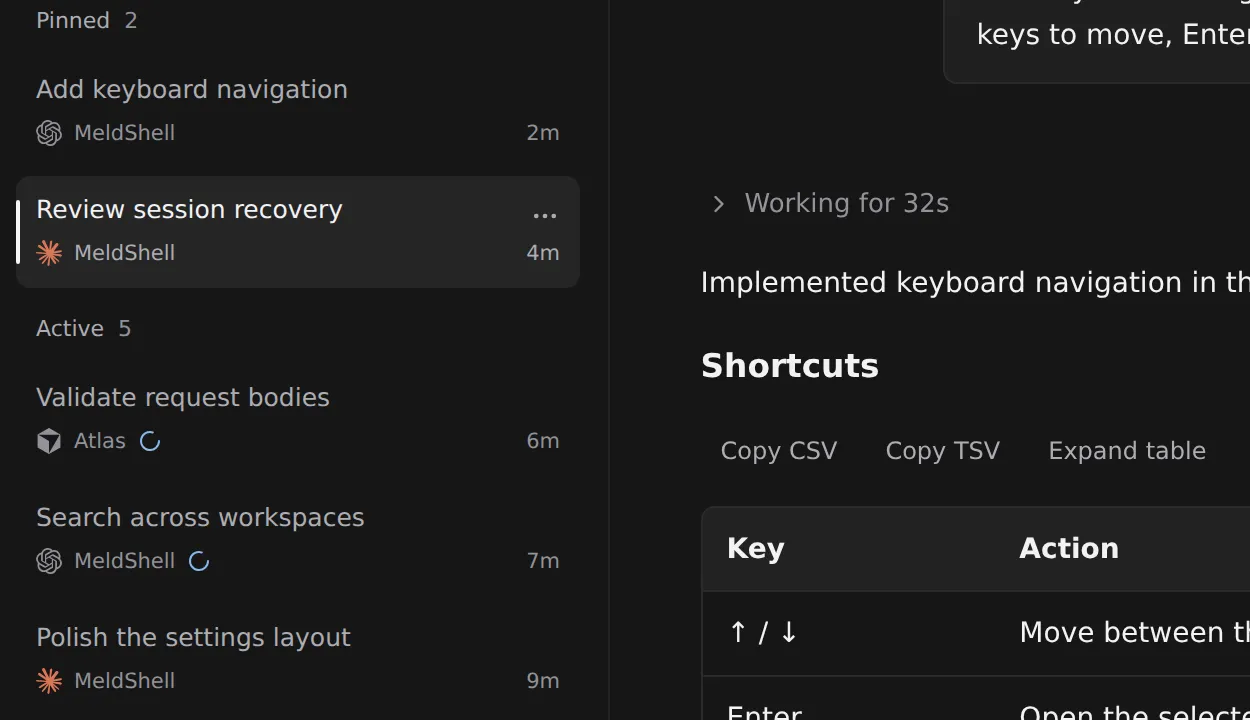
See who's busy and who's waiting
Every conversation shows its state in the list, so you can tell at a glance which agent is working and which one has finished.
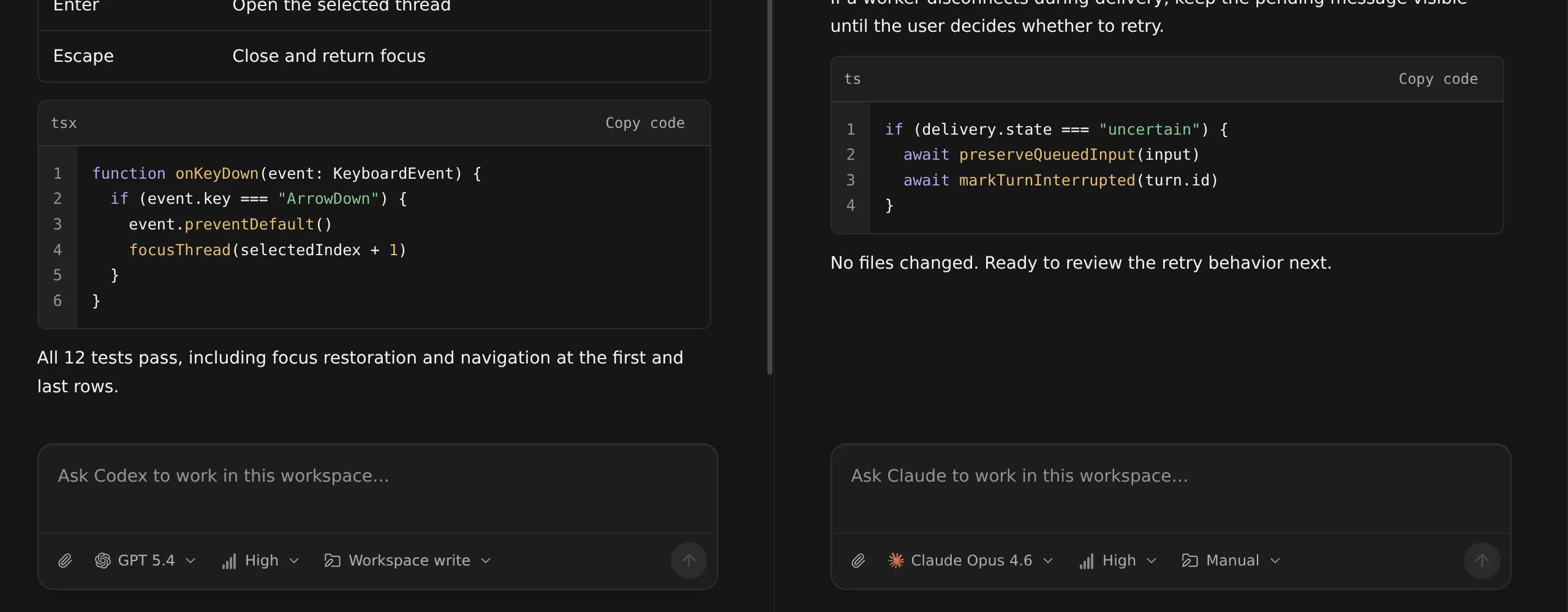
Pick the agent and model per message
Choose who answers as you write. Switch mid-conversation; each agent remembers where it left off.
What's in the window
Search
Ctrl+K searches the full text of every conversation: your messages, agent replies, commands and their output, and diffs, across active and archived threads. The workspace menu above the list filters both the inbox and search results to one project.
Inbox
Pinned threads sit above active ones, and archived threads keep their own section. Each row names the agent and project and shows the time since its last activity; a spinner marks an agent that is still working. Selecting a thread that is already open returns to its tab.
Tabs and splits
A tab holds one thread or a layout of horizontal and vertical splits; the number on a shared tab is its pane count. Drag a thread onto a pane's edge to split, or onto its centre to swap. Closing a tab or pane never stops the work inside it.
Transcript
Replies render in place: Markdown, tables you can copy as CSV, code with line numbers and folding, diffs, Mermaid diagrams and math. “Working for 32s” folds the agent's reasoning and tool activity so the answer stays readable, and approval requests stay with the thread until you answer them.
Composer
Choose the agent and model for each message, set the reasoning effort, and pick the permission mode the agent natively supports: Codex sandbox and approval settings, Claude Code permission modes, or Cursor Agent, Plan and Ask. Anything you send while the agent is working is queued for the next turn.